The Brief
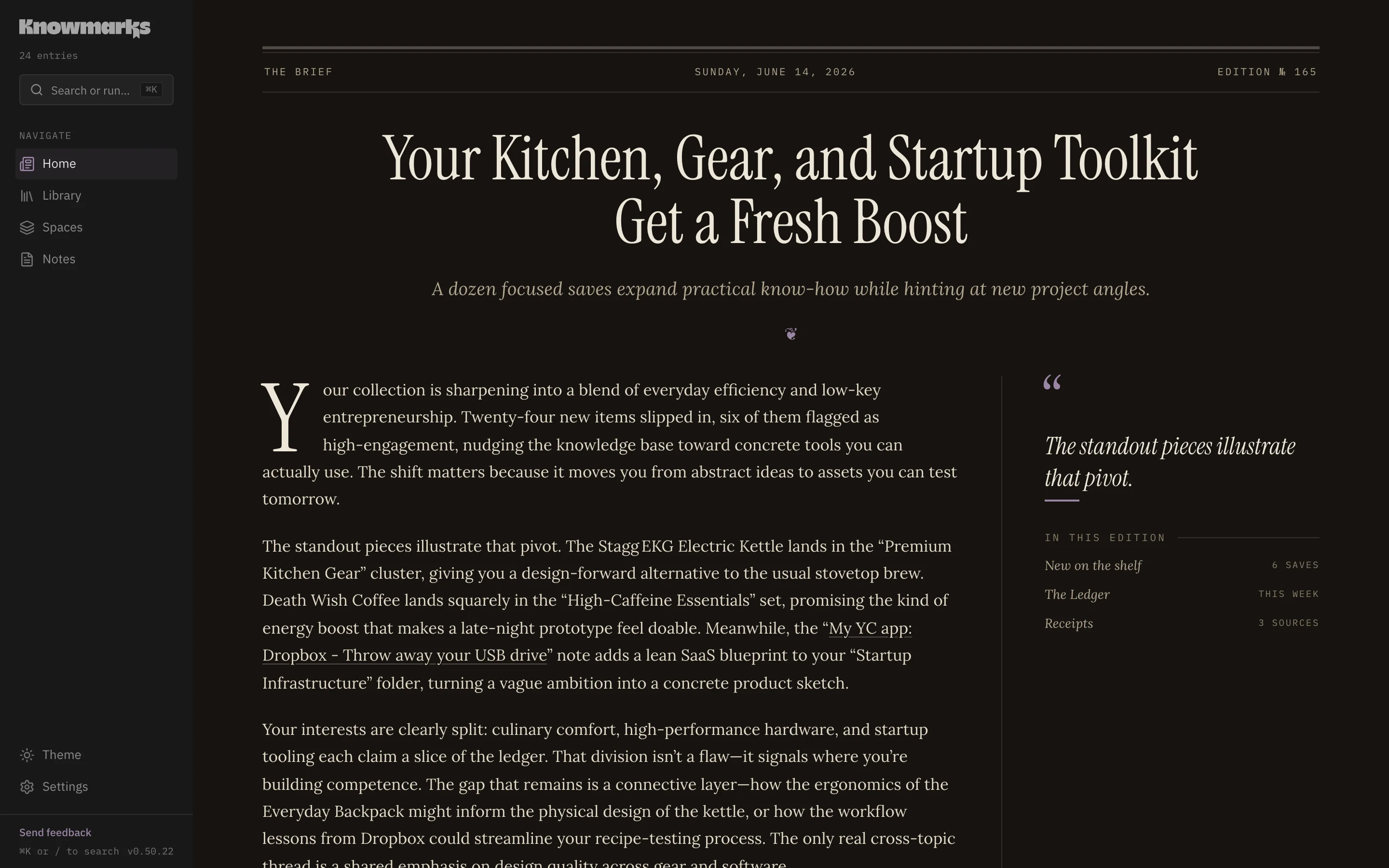
What changed, what keeps recurring, what’s worth a second look. Your home page, written as a short daily brief from your own collection.
 Private alpha · now live
 A private home for the articles, repos, videos, recipes, and threads you save and never open again. Your home page reads like a daily brief. Spaces gather around your projects. And Ask answers questions straight from your own material, with citations back to the source. So can Claude, or any AI you connect.
Not another folder tree. Somewhere to save things, find them again, and ask real questions of them.
What changed, what keeps recurring, what’s worth a second look. Your home page, written as a short daily brief from your own collection.
Your projects and interests, grouped automatically. A pile of tabs becomes something you can actually work with.
Markdown, wikilinks, and saved chats sit next to your library of saved content.
One click from the browser or your phone, plus sync and import from Obsidian, Notion, Karakeep, RSS, GitHub, and a dozen more.
Keyword and meaning-based search work together, so you don’t have to remember the exact title to find what you saved.
A saved link isn’t just a title and a favicon. Open anything and Knowmarks renders it the way it’s meant to be read: a recipe shows its ingredients, a repo shows its stars, a video plays inline next to its transcript. Every kind, one reading surface.
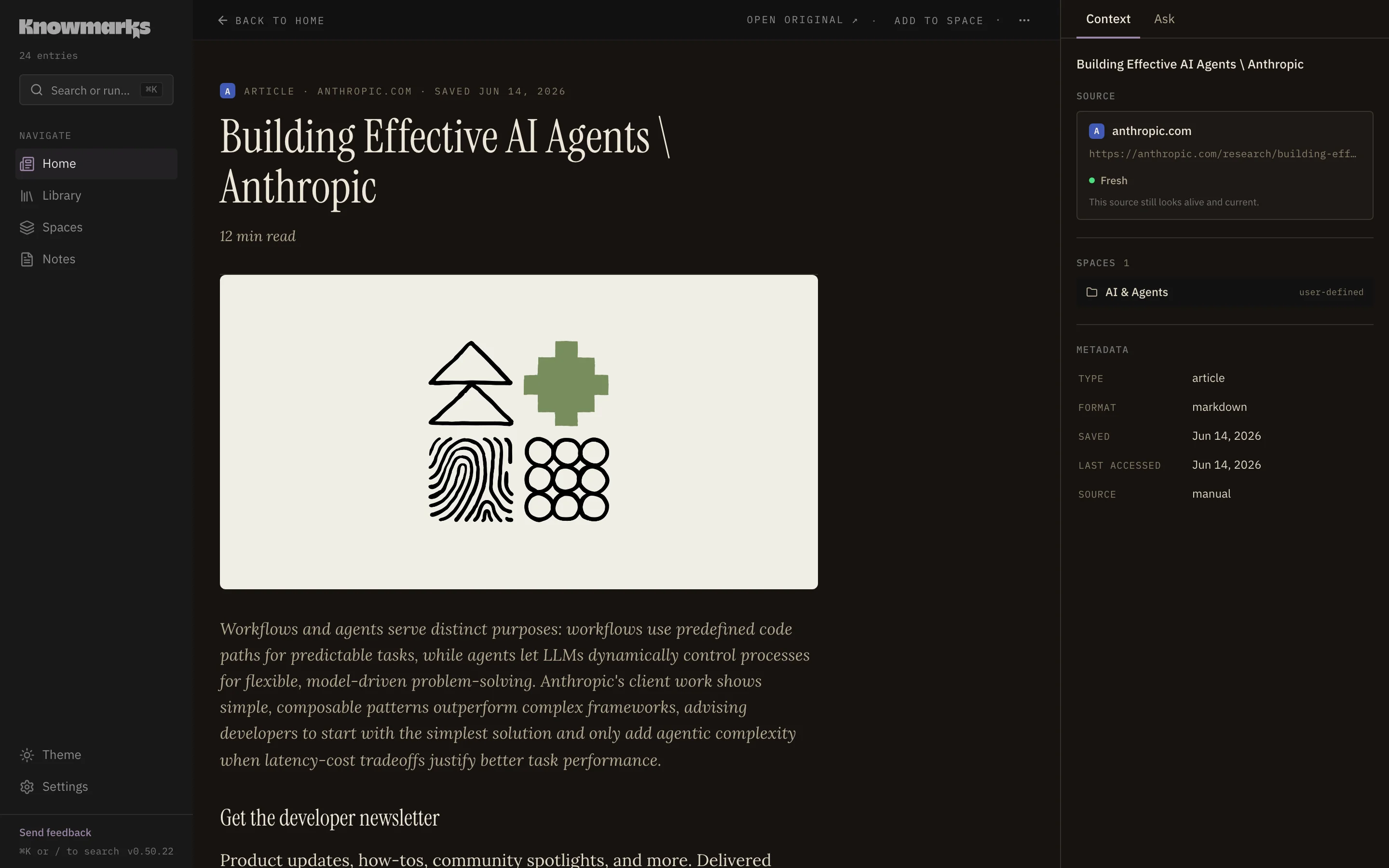
Clean reading with the source hero, byline, and your highlights in place.
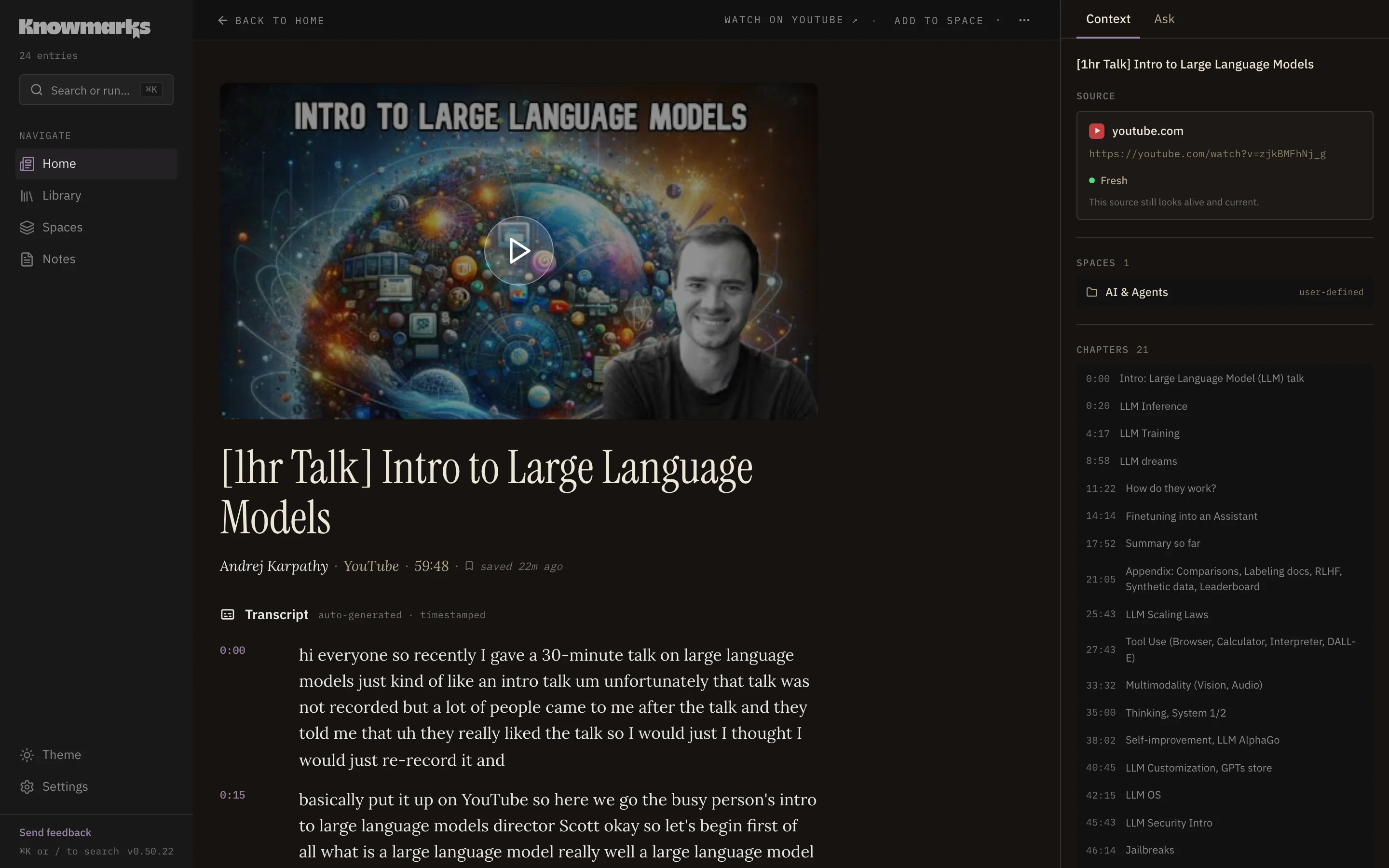
Play it inline, right beside a timestamped transcript and chapters, without leaving the page.
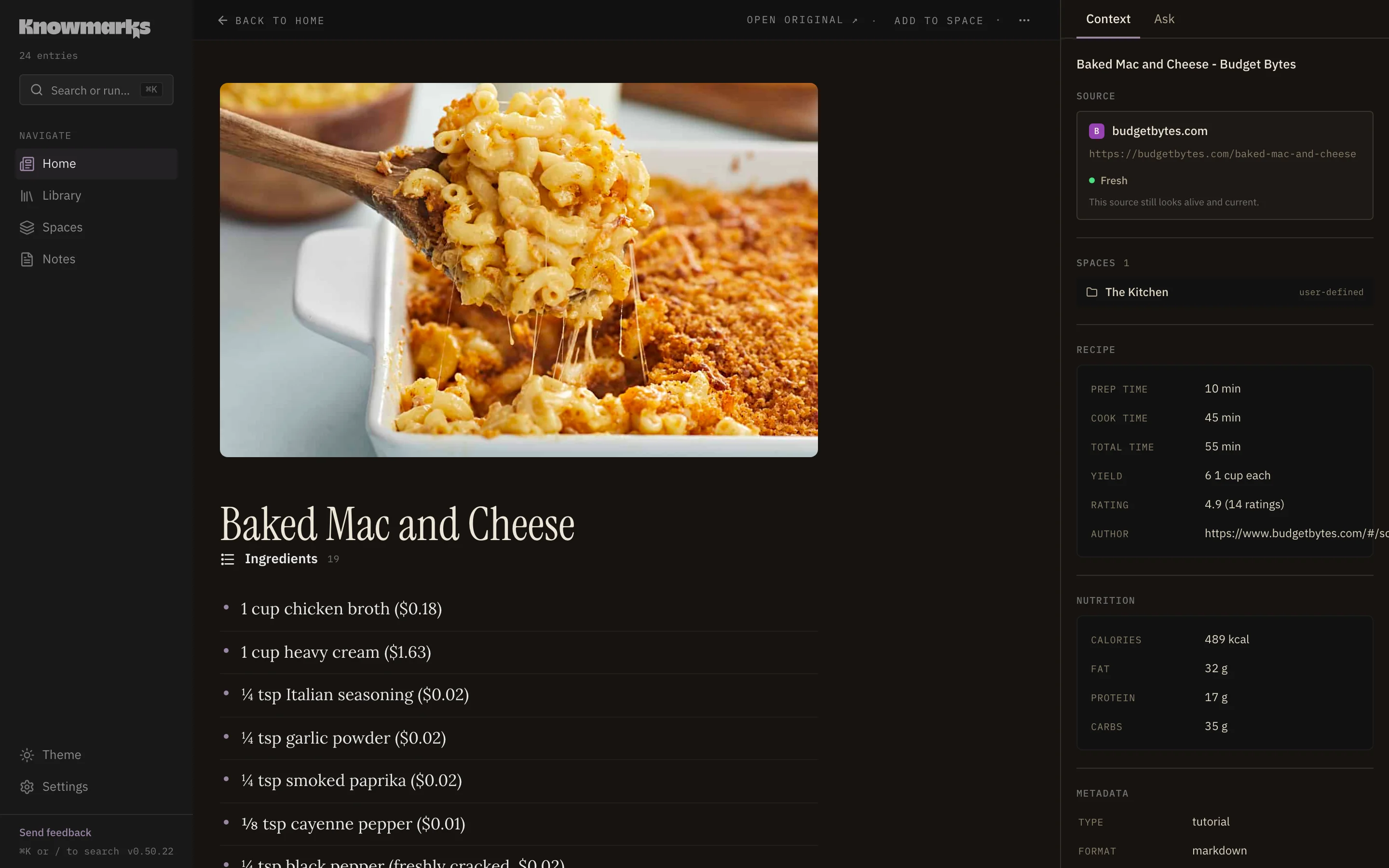
Ingredients, steps, times, and nutrition pulled out of the page.
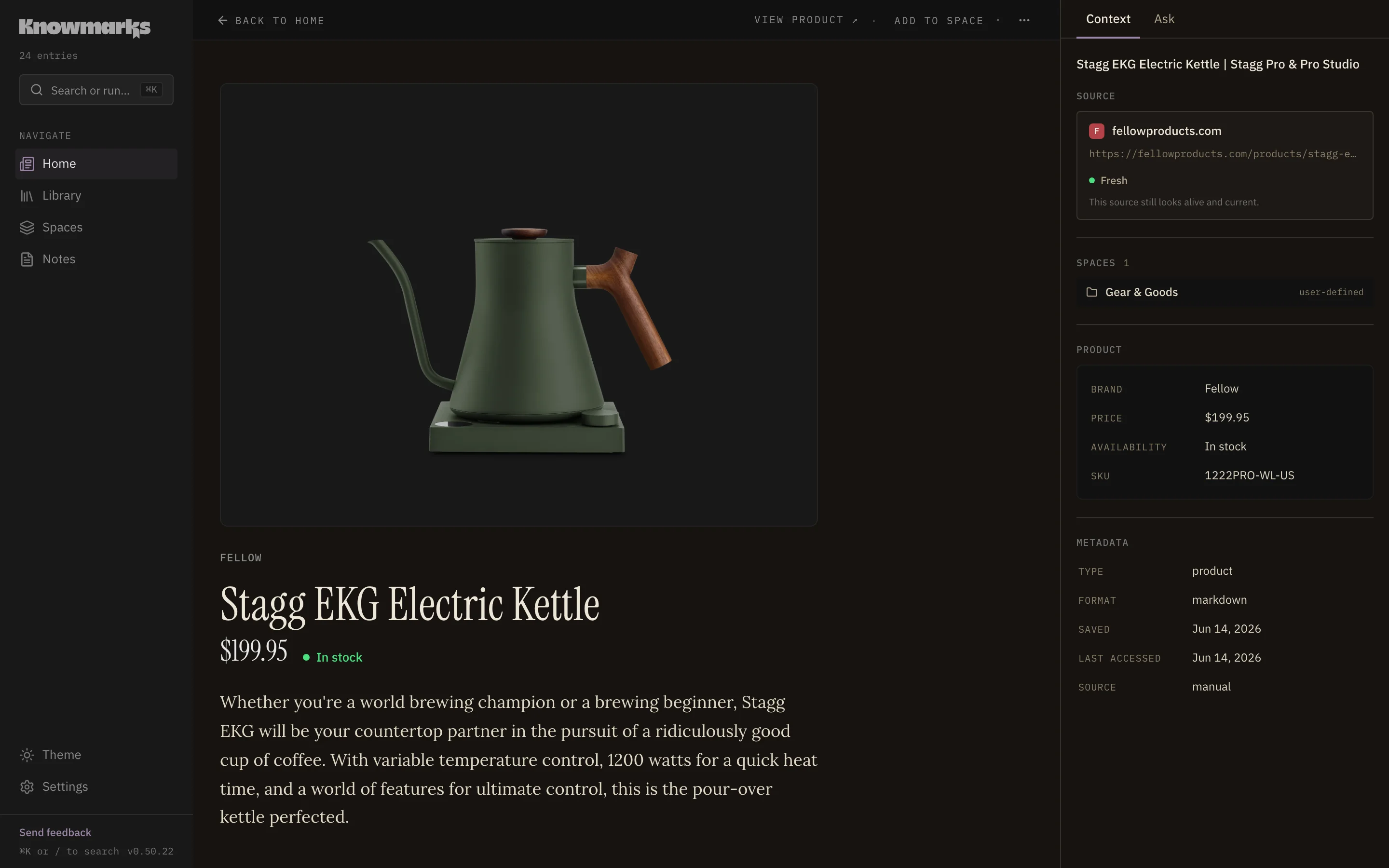
The photo, price, availability, and specs, saved for the second look.
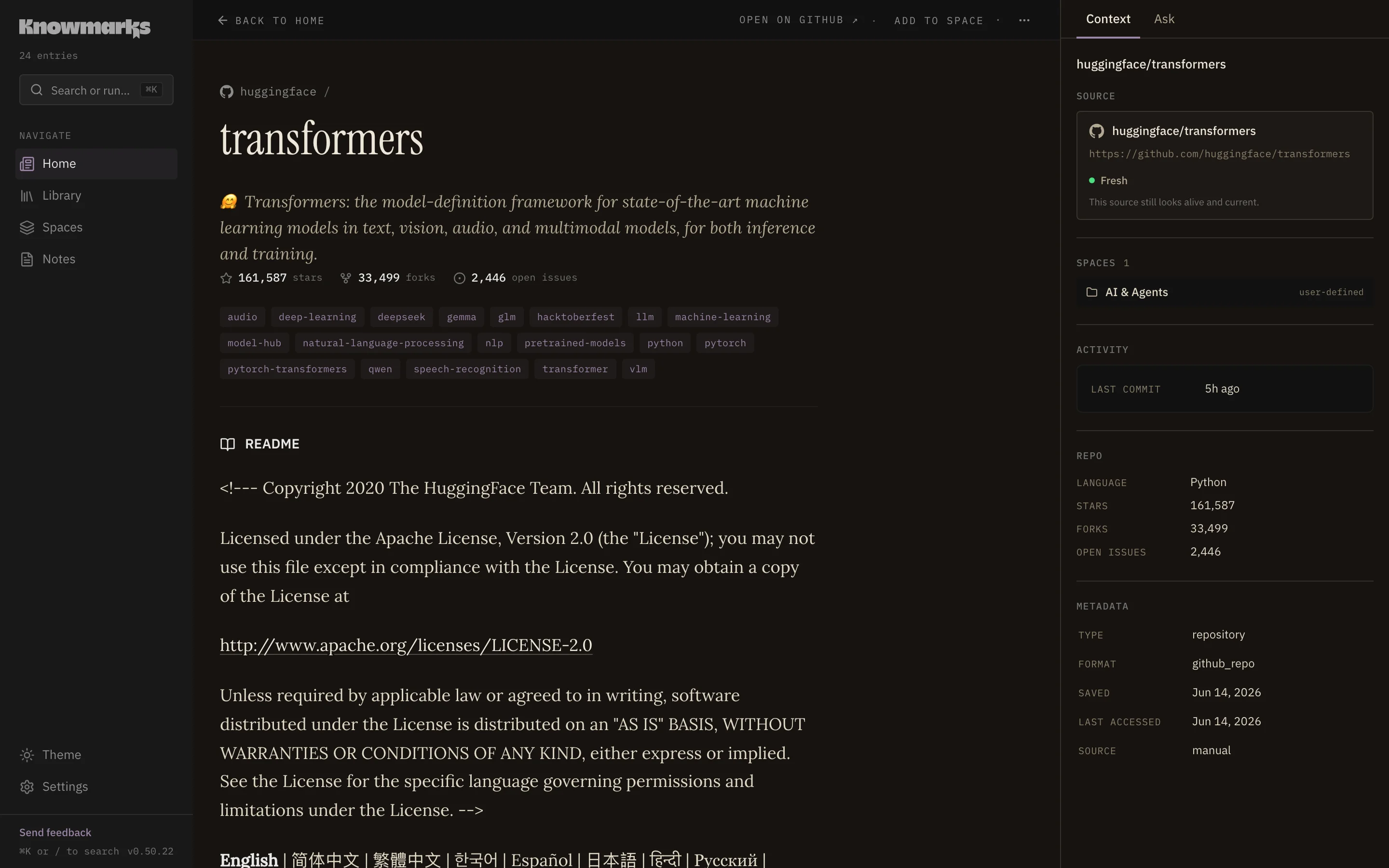
Stars, language, license, last commit, and the README right there.
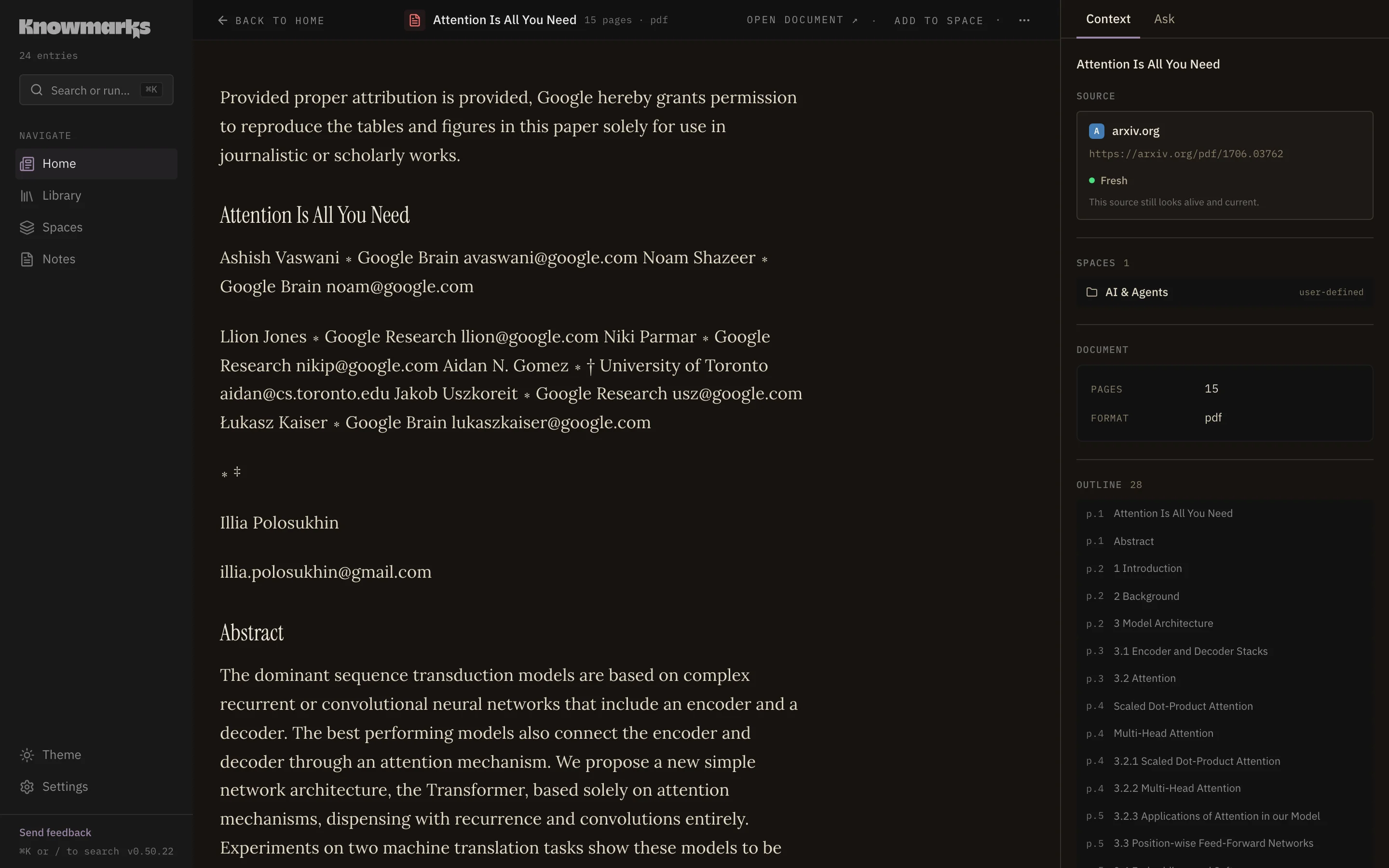
The document with an outline and page anchors for every citation.
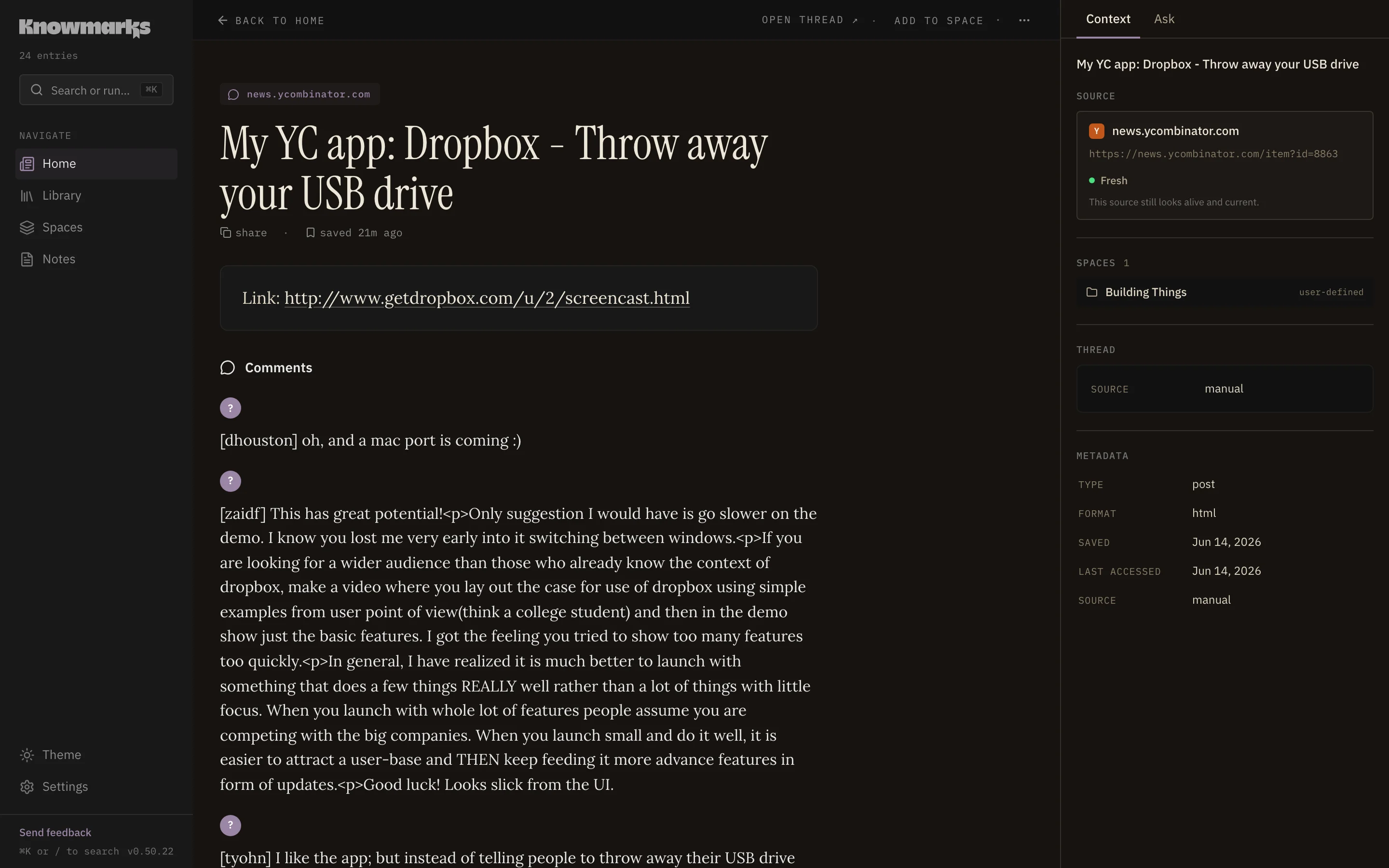
The original post and the comments that were actually worth keeping.
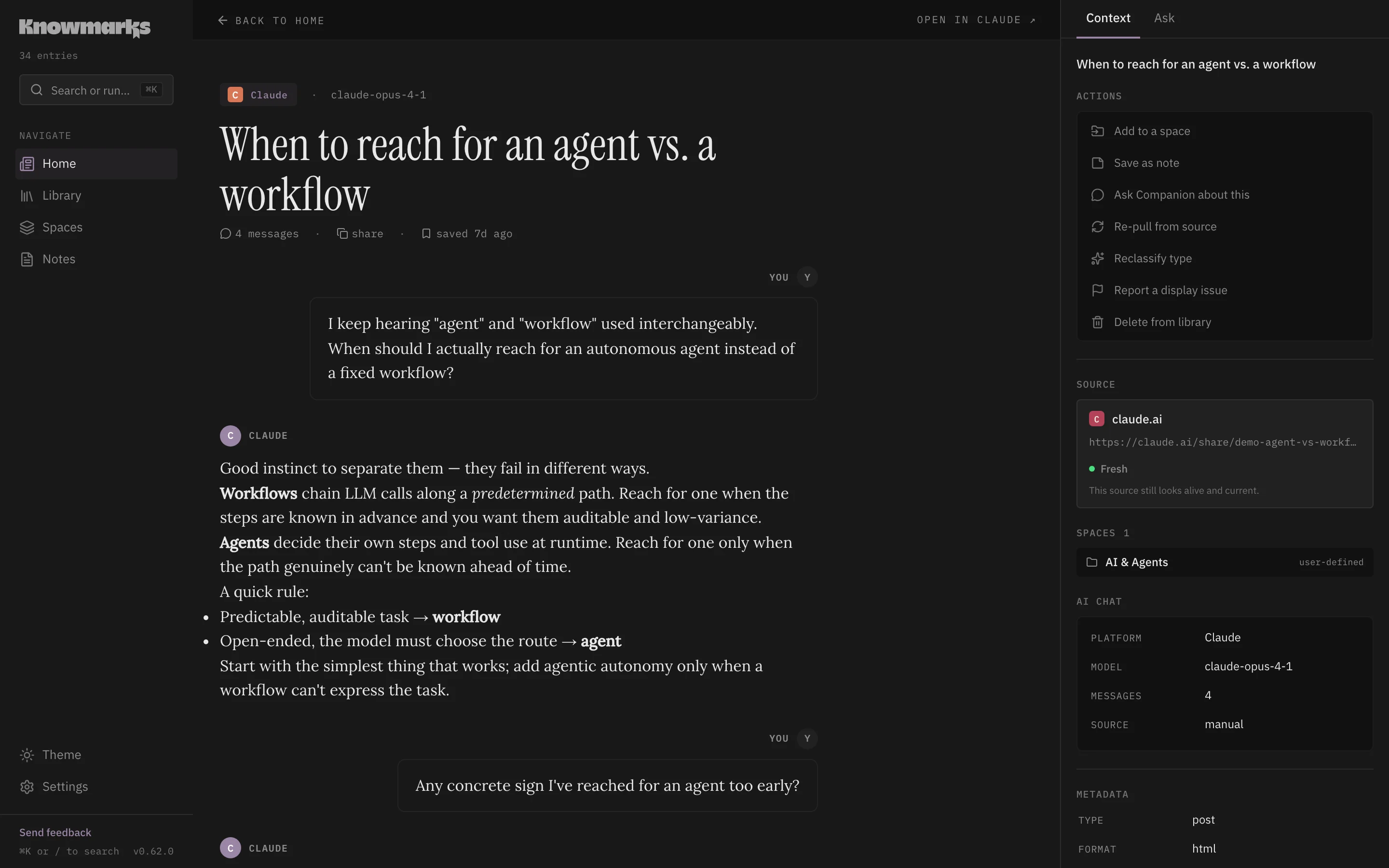
A shared ChatGPT or Claude conversation, rebuilt as a clean threaded transcript with its cited sources.
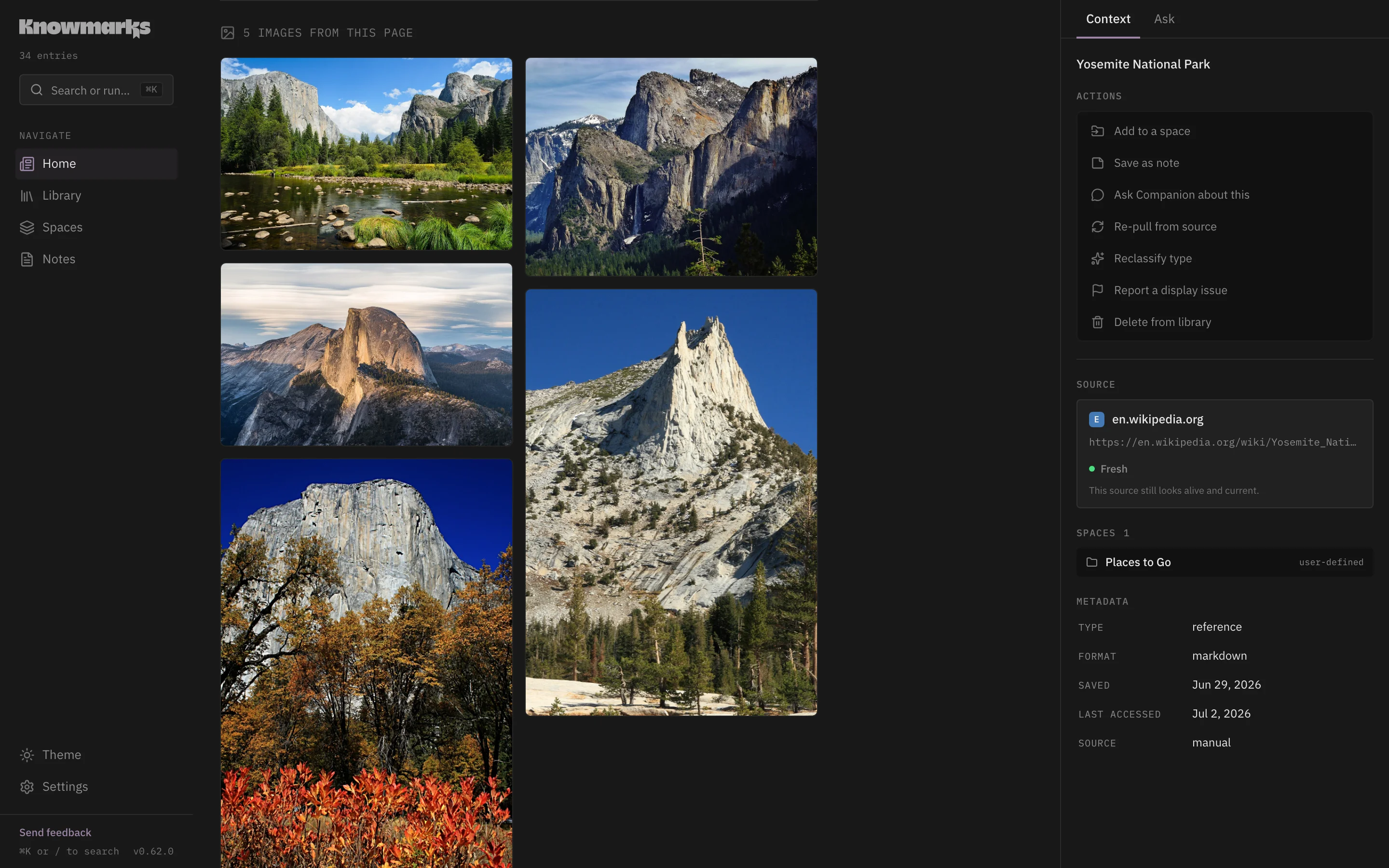
Save a page and the images you picked from it, kept together as a gallery you can open in place.
Whatever you save, it becomes clean, searchable text any LLM can read.
Whatever page, thread, or chat you’re looking at.
Drop in a file and it becomes clean, searchable text.
OCR’d and visually searchable, so even the text inside a picture is findable. Save one or a whole gallery.
First-class and searchable, right next to everything else you save.
Pull a one-time snapshot; nothing runs in the background.
Subscribe once and it keeps syncing new items on a schedule.
Knowmarks isn’t only a place to save things. It’s a source your assistant can search, cite, and turn into working notes, over a tool surface built for the way agents actually use a knowledge base. Connect it once, then ask from Claude, Cursor, or anything that speaks MCP.
https://alpha.knowmarks.app/mcp Paste it into Claude, Cursor, or any MCP client. Your saves become searchable and citable from inside the tools you already work in, and they stay yours to take with you.
Most tools build for humans, then bolt on an API. Knowmarks treats the MCP server and REST API as peer surfaces from day one. Agents get full CRUD over the same data model the dashboard uses, not some stripped-down afterthought. In the agentic era, that’s the whole difference between an AI that can use your tool and an AI that lives in it.
Every other knowledge tool slowly turns into a second job: tagging, foldering, pruning dead links. Knowmarks does that part itself. It sorts, groups, dedupes, and notices what’s gone stale in the background, and only asks for your call when something genuinely needs it. Your time goes to the work.
Save in a click from the browser or your phone, then pull in everything you’ve already collected elsewhere. Sync your notes, import your bookmark managers, follow the feeds you care about. It all lands in one collection you can take with you.
A knowledge layer only works if you trust it with everything. So the rules are simple: what you save is yours, it never becomes someone’s training data, and you can walk out with all of it whenever you want.
Your library is never training data. Knowmarks doesn’t train on a single thing you save.
No ad tech, no data brokers, nothing sold. The only telemetry is anonymous, and it never includes your content.
Export everything in one click. Markdown plus JSON, ready to round-trip into a fresh instance. Leaving is meant to be easy.
Knowmarks is going open source under AGPL-3.0. At launch you’ll be able to run the whole thing yourself, free, with pip or Docker — the hosted plan is convenience, never lock-in.
Some links are quick references. Some become projects. Some become notes. Some were only useful for ten minutes. Knowmarks knows the difference.
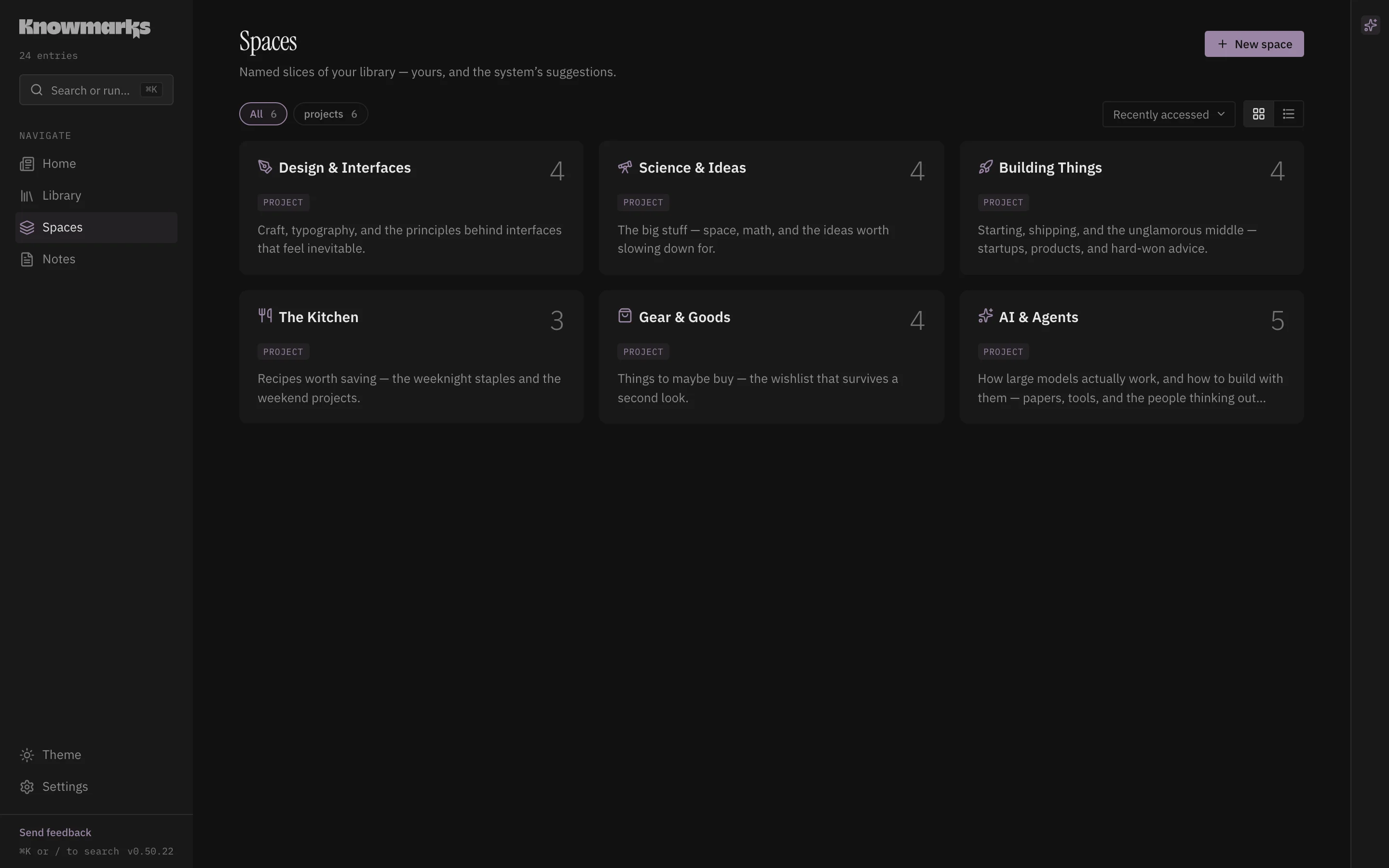
Spaces show the topics and projects taking shape, with counts, descriptions, and enough structure to act on. Some you name yourself; others the system suggests.
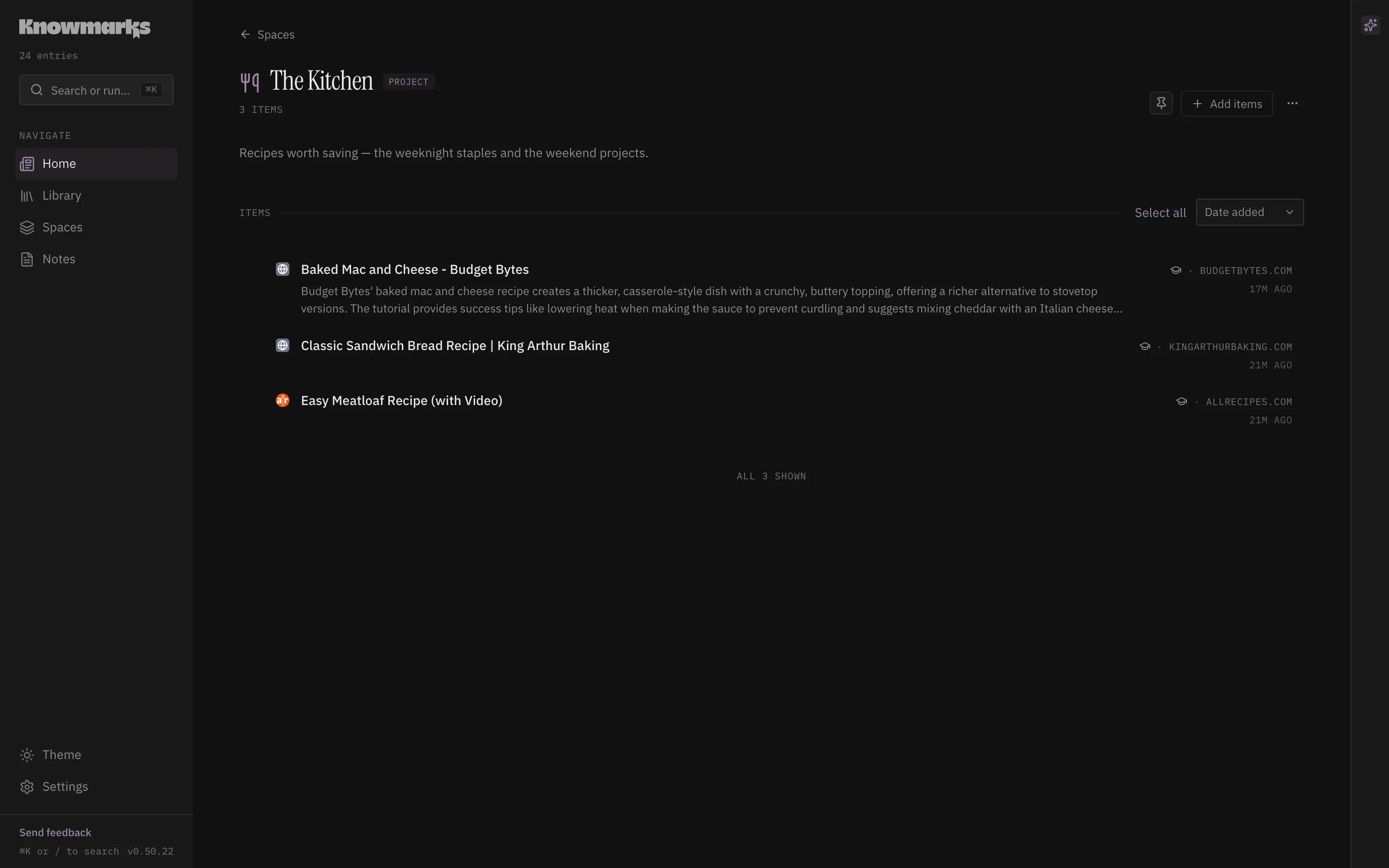
Open a Space and it reads like a collection rather than a folder. Every item shows its source, its kind, and the actions that fit it.
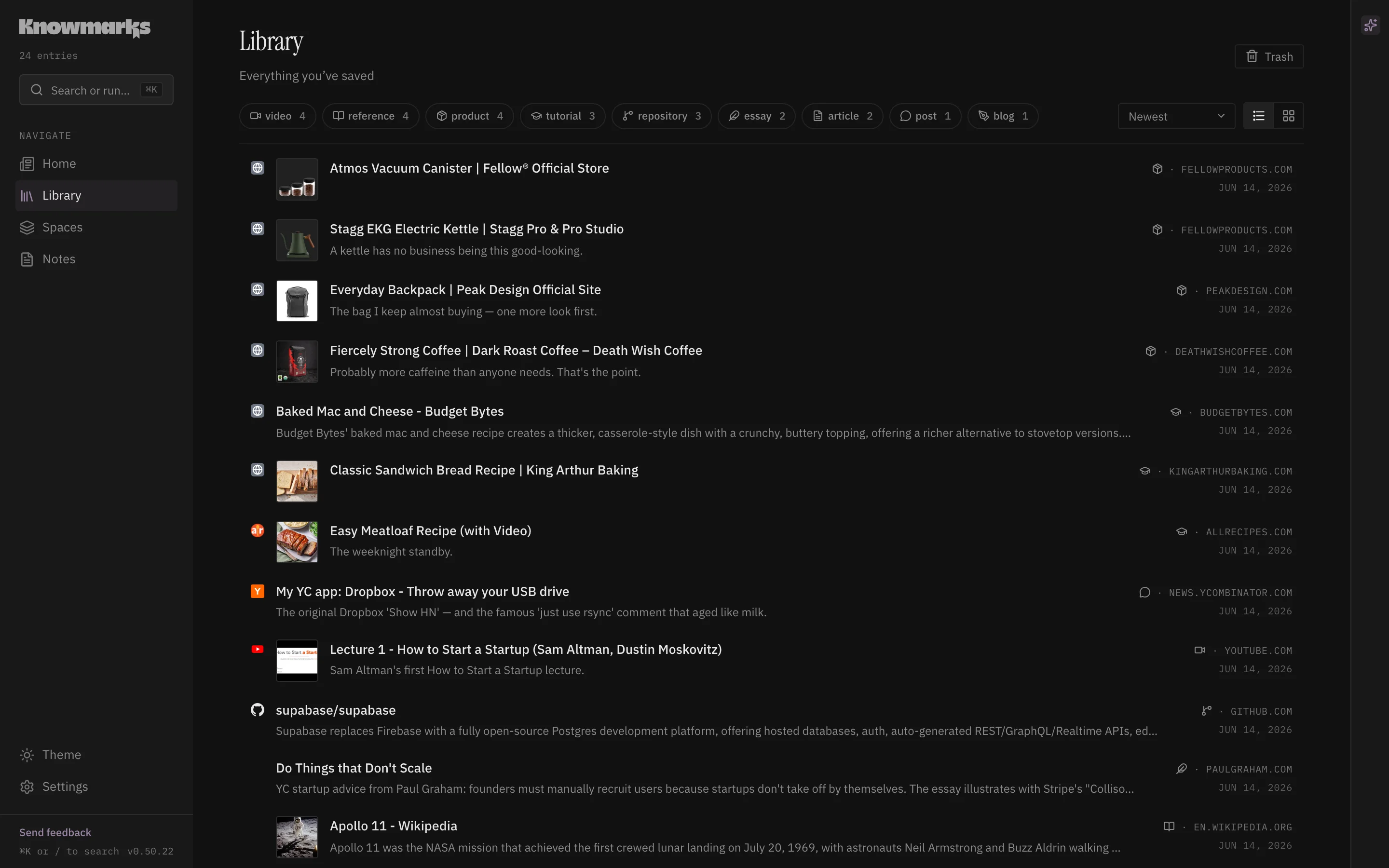
Your whole collection in one place. Filter by kind (articles, repos, videos, PDFs, recipes, products) and open any of them in the reader.
The hosted alpha runs on a private server with separate user data stores. It is meant for a small group of testers, not a public SaaS launch.
The main question is whether the daily act of saving becomes more useful once the Brief, Spaces, search, and Ask have enough of your real material to work with.
We are looking for people who already save links, docs, repos, videos, or notes somewhere, and who can tell us where Knowmarks fits or falls over.
Email [email protected]If you’re invited, we’ll ask a few questions about where you save things now and what tools you can’t live without.